Install and start
The npm package is @jkwd/inbase.
Local install:
npm install -D @jkwd/inbase     # add the package
npx inbase init <editor>        # install that editor's skills + inbase.json
npx inbase run                  # start the map

# <editor> is required: cursor, claude, agents, zed, copilot, cline, opencode, lmstudio, or bionic
Or global:
npm install -g @jkwd/inbase   # add the package
inbase init <editor>          # install that editor's skills + inbase.json
inbase run                    # start the map

# <editor> is required: cursor, claude, agents, zed, copilot, cline, opencode, lmstudio, or bionic
Open the printed URL (http://127.0.0.1:5173 by default). Ctrl+click the link in the terminal (Cmd+click on macOS) to open the InBase UI inside your editor.
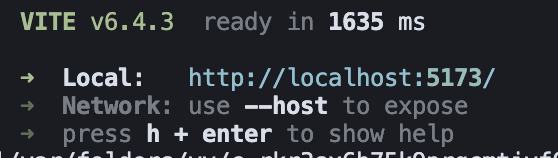
Or paste the URL into a separate browser — useful on a dual-screen or ultrawide setup.
Config
Commit an inbase.json next to where you run inbase. CLI flags and env vars still win: CLI > env > inbase.json > defaults. target is resolved from the config file’s directory.
{
  "target": ".",
  "port": 5173,
  "ignore": [],
  "maxSubagents": 4,
  "editor": "cursor"
}| Setting | What it does |
|---|---|
target | Folder the map scans. Use a subfolder in a monorepo, like "apps/web". /inbase, /connect, and color commands only connect a color session for file changes inside this folder. |
port | Dev server port. Same as --port. |
ignore | Extra gitignore-style patterns on top of .gitignore and the built-in node_modules / dist skip list. |
maxSubagents | Reserved. Connected chats currently run plan steps one at a time. |
editor | Editor from inbase init <editor>. The map uses it to open files in Cursor, Zed, or VS Code (Copilot / Cline) when that CLI is available. |
Runtime data stays in .inbase/ (gitignored). Do not put session or camera state in inbase.json.