Using the map
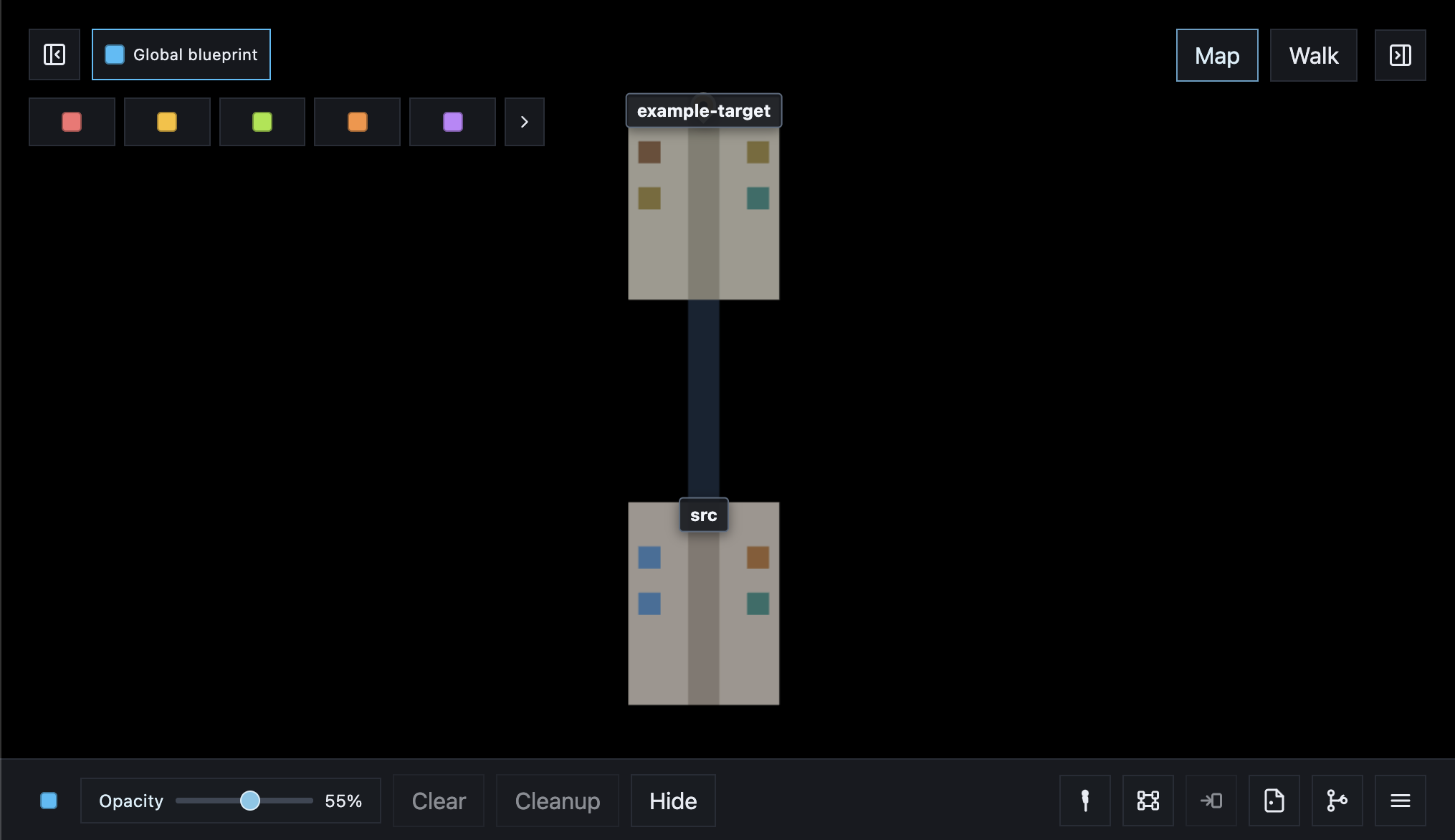
The map is top-down.
- Scroll: zoom
- Drag: pan
- Click a file for info, or a folder for its files
- Right-click a folder to create a file or folder, or to point at it; right-click a file to open it in the editor from
inbase init(Cursor, Zed, or VS Code) or to explain it - Option-click (or drag the person onto the map) to Walk there
- The gold pin is your Walk position
- Hidden files are off by default; press H or use the HUD toggle to show them
Reading the map:
- Each file is a block. Taller blocks have more lines of code.
- Click a block (or press I) to open the info panel. Classes, functions, variables, and imports live there, not on the block itself. A class’s functions and variables are indented under that class.
- Each folder is an area with a center path.
- At the far end of an area, bridges lead into child folders. The folder name hangs above the bridge.
- Click a block to see import relations. Connected files stay lit and arcs draw to them. Press K to flip between imports and imported-by.
More → Update model rescans files and folders after the tree has changed outside the LLM loop.
Controls
| Action | Control |
|---|---|
| Zoom / pan | Scroll, drag |
| File info | Click, I |
| Import relations | Click a block |
| Imports / imported-by | K |
| Switch to Walk | M |
| Walk onto the map | Option-click, or drag the person |
| Place file or folder | Right-click a folder |
| Open or explain a file | Right-click a file (opens in the editor from inbase init) |
| Point to a target | Right-click, Point to folder |
| Save / load / rescan | More menu |
| Show only changed paths | C |
| Branch changes | G |
| Hidden files | H |
| Connect a chat | /inbase (next empty session), /connect (first enabled blueprint), or /blue /coral /amber /lime /orange /violet /teal /crimson /forest /grey /white |
| Keep the work and free the color | Done in the session window |
| Explain | /explainit in chat, or ? then /explainit |
| Extract a blueprint | /extract-blueprint |
| Load an example React app | More → Load (apps/example-target/blueprints/) |
| Switch the mapped project | Look at — Example target, Example C# (apps/example-csharp), Site, or the complete repo |
The in-app Instructions overlay (bottom of the HUD) lists the same controls for the view you are in.